Work · Rest · Repeat
Interval Timer
for HIIT
Set work (5–300 seconds), rest (0–180 seconds) and rounds (1–60). Press Start. Sound cues on iPhone, iPad and Apple TV, and haptics on iPhone and Apple Watch, tell you when to push and when to breathe. Runs on iPhone, iPad, Apple Watch, Mac and Apple TV. No account, no subscription, no ads.

$2.99 once · iOS 17 or later
iPhone · iPad · Apple Watch · Mac · Apple TV
What is interval training?
Interval training alternates between fixed periods of work and rest. Unlike EMOM where rest is whatever time you have left, intervals give you dedicated work and rest phases.
This makes it ideal for HIIT, Tabata, circuit training, and conditioning work. You control the intensity by adjusting the work-to-rest ratio and the number of rounds.
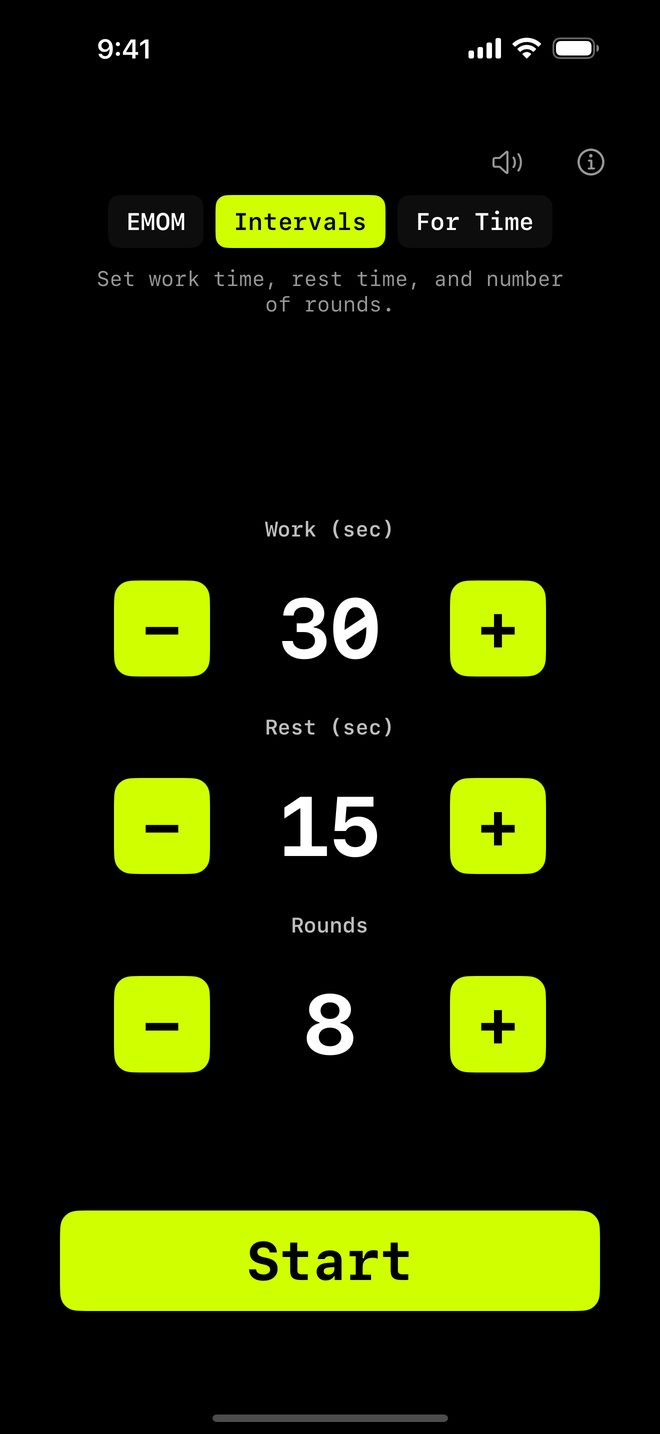
How intervals work in WODrounds
-
Set your work time
Choose how many seconds you work each round. From short 10-second bursts to long 60-second sets.
-
Set your rest time
Choose your rest period between rounds. Short rest for intensity, longer rest for strength work.
-
Set your rounds
Pick the number of rounds. 8 rounds for Tabata. 12 for a quick circuit. 20 for endurance.
-
Work / Rest cues
Clear sound and haptic cues tell you when to start working and when to rest. No need to watch the screen.
Example interval workouts
Quick HIIT (11:45)
Intervals · Work 30s · Rest 15s · 16 rounds
- Alternate between 4 exercises:
- Mountain climbers
- Dumbbell thrusters
- Box jumps
- Rowing
Conditioning (9:40)
Intervals · Work 40s · Rest 20s · 10 rounds
- Pick one exercise per round
- Focus on maintaining intensity
- 2:1 work-to-rest ratio
Sprint Intervals (7:15)
Intervals · Work 15s · Rest 45s · 8 rounds
- 15 seconds of all-out effort
- 45 seconds of full recovery
- Assault bike, rower, or sprints
Start your interval workout
Available on iPhone, iPad, Apple Watch, Mac and Apple TV.
$2.99 once · iOS 17 or later
No account needed. Works offline.
Related
-
EMOM Timer →
Every Minute on the Minute. Set rounds and round length for CrossFit-style pacing.
-
Tabata Timer →
20 seconds on, 10 seconds off, 8 rounds. The classic Tabata protocol in WODrounds.
-
10-Minute HIIT Workouts →
Short and intense interval workouts you can do in 10 minutes. Ready-to-use settings.
-
Timer Guide →
Learn when to use EMOM vs. intervals vs. Tabata and how to set up each format.